AI Is Only as Smart as the Data It Can Reach: Why Connected Project Data Matters in Construction
Why AI that sees one company's slice of a project falls short, and how connected workspaces give built-in AI and your own AI the whole picture.
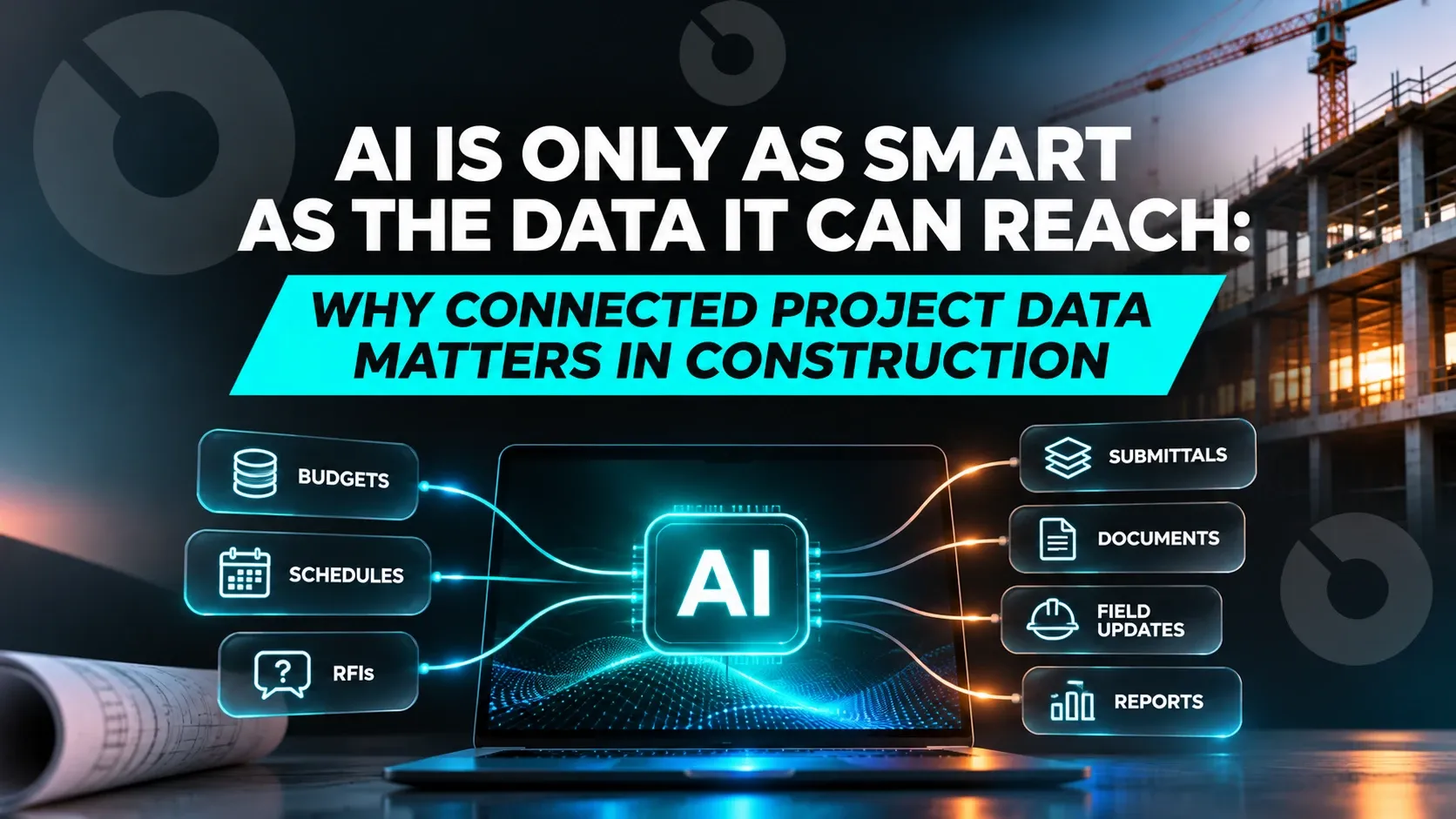
AI is only as smart as the data it can reach. On a construction project, that data is spread across the owner, the owner's rep, the design team, the GC and the subs, so an AI that sees only one company's records gives answers that are late and incomplete, however good the model is.
That's the shift worth paying attention to. The models are improving fast and getting easier to swap: Claude, ChatGPT and Gemini can all read a contract or draft an RFI. What separates useful construction AI from a demo is no longer the model. It's whether the AI can reach live data from every party on the project.
Why do construction AI answers fall short?
Most construction AI works inside one company's system. A GC's AI sees the GC's records. An owner's AI sees what the owner has uploaded. The rest of the project reaches each of them the old way:
- By email. A pay app, a revised drawing or an RFI response arrives as an attachment.
- By PDF. The data is locked in a document someone has to read.
- By export. A spreadsheet is pulled from one system and sent to another.
- By re-keying. Someone types it in again, and now there are two versions.
Each hop adds delay, and each one is a chance for the numbers to drift. By the time the data lands, the AI is reasoning over a copy that may already be out of date. Ask it whether a pay app is over budget and it can only check against the budget it has, not against the change order the owner approved yesterday in another company's system.
That's what "siloed workspaces" means in practice: every firm has its own data, its own AI, and its own slice of the truth.
Why are AI models becoming a commodity?
A year ago, the question was which AI model to trust. Today most teams already use one or more general-purpose assistants, and those assistants keep getting better at reading documents, summarizing and drafting.
When every firm can reach a capable model, the model stops being the advantage. Two firms using the same AI will get very different answers if one of them feeds it live, cross-firm project data and the other feeds it last week's export.
So the question for owners, developers, owner's reps and contractors is changing from "which AI should we use?" to "what data can our AI actually reach?"
What connected project data looks like
Connected project data means each firm's workspace is linked to the others on the project, so information moves between them in real time instead of by email and export. Each firm still owns its own workspace and decides what's shared, and every user sees only the data that's shared with them.
On a connected project:
- A pay app submitted by the GC reaches the owner's workspace as it's submitted, tagged with who sent it.
- A change order approved by the owner is the same record the GC's team sees, not a PDF copy.
- An RFI answered by the design team is visible to everyone it was shared with, without anyone forwarding it.
For AI, this changes everything downstream. The AI works on one current version of the project, not on whichever copy reached one company's inbox.
How built-in AI and MCP use connected data on INGENIOUS.BUILD
INGENIOUS.BUILD connects owner, GC, architect and vendor workspaces on the project, and puts AI to work on that data in two ways.
Built-in AI, for every user. It's included for everyone, even the collaborators you invite free. Built-in AI reads invoices, drawings, contracts, change orders and budgets and pulls out the details, so nobody retypes them. It also sends daily or weekly email summaries of your unread notifications, so you see what needs your attention.
Your own AI, through the native MCP server in Pro. MCP (Model Context Protocol) is an open standard that lets an AI connect to a system and work with its data. With INGENIOUS.BUILD's MCP server, Claude, ChatGPT, Gemini or any MCP-compatible AI can read, write and act on the project data shared with you, through natural conversation. An Admin chooses which account types can use it. For example, your AI can:
- Turn an OAC meeting transcript into minutes with action items and owners.
- Draft an RFI register from the drawings, with sheet references.
- Map a pay app to the schedule of values, with retention.
- Build a submittal log from any spec format.
Because the workspaces are connected, both kinds of AI work across every party's data that's shared with you, not just your own company's slice. Both inherit each user's role, workspace and record-level permissions, so the AI never sees more than the person using it.
What to ask before you pick AI construction software
If AI is part of your software decision, these questions matter more than the model behind the product:
- What data can the AI reach? Only your company's records, or the data other firms on the project share with you?
- How current is that data? Does it arrive in real time, or by upload, email and export?
- Can you use the AI you already have? Or are you limited to the one built into the product?
- Does the AI respect permissions? Does it see only what each user is allowed to see?
- Who gets the AI? Every user, including the outside collaborators you invite, or only paid seats?
The takeaway
Models are becoming a commodity. Connected project data is the moat. The firms that get the most from AI in construction won't be the ones with the cleverest model. They'll be the ones whose AI can see the whole project, live, with every party's data that's shared with them.
See how built-in AI and MCP work on connected project data →
FAQ
Why does connected project data matter for AI in construction? Because AI is only as smart as the data it can reach. When each firm's data moves by email, PDF and export, each firm's AI sees only its own slice of the project, late and incomplete. When workspaces are connected, AI can work across every party's data that's shared with you, in real time.
What is a siloed workspace in construction? A siloed workspace is a company's own system that isn't linked to the other firms on the project. Data reaches it only when someone emails, exports or re-keys it, so it's often out of date.
Can my own AI work on construction project data? Yes, on INGENIOUS.BUILD. Its native MCP server, included in Pro, lets Claude, ChatGPT, Gemini or any MCP-compatible AI read, write and act on the project data shared with you. An Admin chooses which account types can use it. Built-in AI works for every user without connecting anything.
Does AI on a connected project see other companies' private data? No. Each firm owns its workspace and decides what's shared. Built-in AI and your own AI through MCP inherit each user's role, workspace and record-level permissions, so they see only the data that's shared with you.
Frequently asked questions
Why does connected project data matter for AI in construction?
Because AI is only as smart as the data it can reach. When each firm's data moves by email, PDF and export, each firm's AI sees only its own slice of the project, late and incomplete. When workspaces are connected, AI can work across every party's data that's shared with you, in real time.
What is a siloed workspace in construction?
A siloed workspace is a company's own system that isn't linked to the other firms on the project. Data reaches it only when someone emails, exports or re-keys it, so it's often out of date.
Can my own AI work on construction project data?
Yes, on INGENIOUS.BUILD. Its native MCP server, included in Pro, lets Claude, ChatGPT, Gemini or any MCP-compatible AI read, write and act on the project data shared with you. An Admin chooses which account types can use it. Built-in AI works for every user without connecting anything.
Does AI on a connected project see other companies' private data?
No. Each firm owns its workspace and decides what's shared. Built-in AI and your own AI through MCP inherit each user's role, workspace and record-level permissions, so they see only the data that's shared with you.