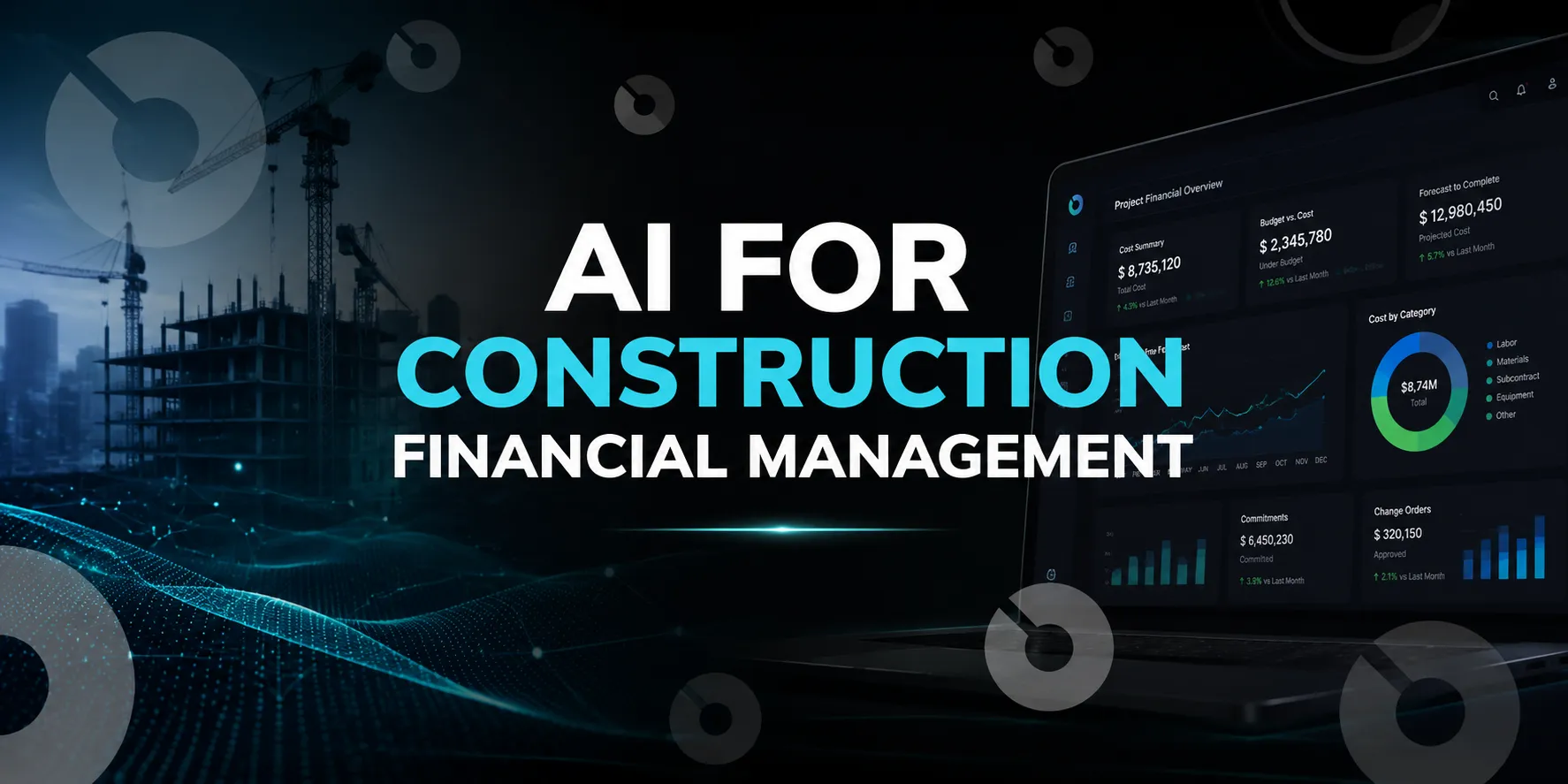
Informative
Construction Software That Integrates With Sage (2026 Guide)
Discover the top construction software that integrates with Sage in 2026. Learn how syncing Sage 300 CRE and Intacct with project tools saves time, reduces errors, and unifies field and office.
Sage has been a cornerstone of construction accounting for decades. Whether you’re using Sage 300 Construction and Real Estate (CRE) or Sage Intacct Construction, the challenge is the same: your accounting system holds the financial truth, but projects often run in disconnected silos.
That’s where construction management software that integrates with Sage comes in. By syncing job costs, budgets and approvals directly with project data, you save time, reduce errors and gain a complete view of performance across the field and office.
In this guide, we’ll break down:
- What Sage construction ERP options exist (and how they differ)
- The benefits of integrating Sage with modern construction software
- The best Sage-compatible construction software platforms in 2025
- FAQs from contractors, developers and finance leaders evaluating integrations
What Is Sage Construction Software?
Sage construction software refers to accounting, ERP and financial management products used by construction and real estate organizations. These systems help companies manage financial processes such as general ledger accounting, accounts payable, accounts receivable, job costing, payroll, cash flow and financial reporting.
Two of the most widely evaluated Sage products for construction are Sage 300 Construction and Real Estate and Sage Intacct Construction.
Sage typically serves as the financial or accounting system of record. Construction management platforms, field apps, workforce management tools, and other SaaS construction software can then integrate with Sage to connect operational project data with accounting.
This distinction is important: Sage manages the financial backbone of the business, while integrated construction software helps teams manage active project workflows.
Sage 300 CRE vs Sage Intacct for Construction
One of the most common questions construction companies ask is whether Sage 300 Construction and Real Estate or Sage Intacct Construction is the better fit.
Sage 300 Construction and Real Estate
Sage 300 CRE is a mature construction and real estate ERP commonly used by established contractors and real estate organizations.
It is often selected for its construction accounting, job costing, payroll and financial management capabilities. Companies with long-established accounting processes may also have highly customized Sage 300 CRE environments.
Best for: Established construction and real estate organizations with mature accounting processes and complex job costing requirements.
Key strengths:
- construction accounting
- job costing
- payroll
- financial reporting
- established construction workflows
Potential limitations:
- more complex integration environments
- legacy workflows may require additional implementation support
- modern field and project management typically require integrated software
Sage Intacct Construction
Sage Intacct is a cloud-based financial management platform used by growing construction and real estate organizations.
For construction companies, Sage Intacct supports financial reporting, project accounting, multi-entity management and integrations with cloud-based construction platforms.
Best for: Construction companies, developers, and real estate organizations seeking cloud-based financial management and a modern integration ecosystem.
Key strengths:
- cloud-based financial management
- multi-entity accounting
- configurable reporting
- dashboards and financial visibility
- integration with SaaS construction management software
Potential limitations:
- migration from legacy accounting systems requires planning
- construction operations may still require dedicated project management software
Sage Intacct vs Sage 300 CRE: Which Is Better?
Sage 300 CRE is often a better fit for established construction organizations with mature accounting workflows and existing Sage infrastructure. Sage Intacct may be more attractive to companies prioritizing cloud-based financial management, scalability and integrations with modern construction software.
The better choice depends on your accounting structure, payroll requirements, existing integrations, internal expertise and long-term technology strategy.
Which Sage Construction ERP Is Right for You?
Sage offers two main ERP products for construction:
1. Sage 300 Construction and Real Estate (CRE)
- A legacy but widely used ERP, especially in North America
- Best for established contractors who need deep accounting, job costing, payroll and property management tools
- On-premises deployment (though cloud hosting options exist)
- Known for stability but requires integrations for modern field and project management
2. Sage Intacct Construction
- Cloud-native ERP designed for contractors, developers and real estate businesses
- Offers strong financial controls, job costing and reporting dashboards
- Easier integration with modern cloud-based tools compared to Sage 300
- Subscription pricing model
Key takeaway: CRE is trusted but more rigid, while Intacct is future-focused and integrates more easily. Many firms are moving toward Intacct for scalability.
Why Integrate Sage With Construction Management Software?
Sage accounting software manages financial information, but most day-to-day construction workflows happen outside accounting.Project teams manage drawings, RFIs, submittals, schedules, contracts, field reports, inspections, labor information and approvals. Finance teams manage accounting, payroll, invoices and financial reporting.
Without integration, information must often be transferred manually between these workflows. Construction management software with Sage integration can help teams create a more connected financial and operational environment.
Key benefits include:
- Faster job cost reporting
Project cost information can be aligned with Sage accounting data, reducing the time spent manually reconciling job costs.
- Better budget visibility
Project teams can understand how commitments, invoices, and change orders affect current budget performance.
- Less duplicate data entry
Connected systems reduce the need to enter the same project, vendor, cost or financial information multiple times.
- Improved change order management
Project changes can be connected more closely with budget and accounting workflows.
- Stronger field-to-office communication
Field information can move into project and financial workflows faster instead of remaining in paper forms, spreadsheets or disconnected apps.
- More consistent financial reporting
Connected project and accounting data helps finance and operations teams work from more consistent information.
What Data Should a Sage Construction Integration Connect?
Not all Sage integrations provide the same level of connectivity. Some construction apps only export basic accounting data, while deeper integrations connect multiple project financial workflows.
Depending on the software and Sage product, construction teams may need to connect:
- projects and jobs
- cost codes
- budgets
- commitments
- contracts
- purchase orders
- vendors
- invoices
- change orders
- job costs
- labor and time data
- payroll information
- project forecasts
Before selecting construction management software that integrates with Sage accounting, identify which data must move between systems and which platform should remain the source of truth for each workflow.
A construction job costing platform with Sage integration, for example, should do more than transfer invoices. Teams may need visibility into budget revisions, committed costs, pending changes and forecasted project costs before those costs appear in historical accounting reports.
Best Construction Software That Integrates With Sage
Here are the top tools in 2026 that connect seamlessly with Sage 300 CRE or Sage Intacct:
1. INGENIOUS.BUILD
Best for: Full-project visibility with Sage integration
- Purpose-built for construction and real estate development
- Syncs project budgets, commitments and change orders with Sage
- Includes tools for RFIs, submittals, meeting minutes and field collaboration
- Transparent pricing and fast onboarding
Pros:
- One connected platform for field and office
- Modern UI compared to Sage’s legacy screens
- Flexible enough for small, mid and enterprise teams
- Flat per user pricing
Cons:
- Best suited for teams looking to consolidate (not single-task tools)
2. Procore
Best for: Large contractors and enterprises
- Deep functionality across project management, quality and safety
- Sage-certified integration available for both 300 CRE and Intacct
- Strong ecosystem of third-party integrations
Pros:
- Enterprise-grade, trusted by global contractors
- Broad support and documentation
Cons:
- High cost and long implementation timeline
- Often requires a dedicated admin team
3. hh2 Cloud Services
Best for: Payroll and field data integration
- Known for its time and attendance tools for Sage 300 CRE
- Cloud-based service that connects field data (timesheets, expenses) with Sage
- Especially useful for contractors managing large crews
Pros:
- Tight integration with Sage 300 payroll
- Mobile-first for field entry
Cons:
- Limited project management features - mainly complements Sage
4. Fieldwire
Best for: Field teams needing simple Sage-linked task management
- Connects timecards, tasks, and work orders with Sage for cost tracking
- Reduces manual entry by syncing jobsite data into accounting workflows
- Helps ensure field productivity is reflected in financial reports
Pros:
- Easy-to-use mobile interface, designed for the jobsite
- Strong task management and punch list features
- Affordable compared to larger platforms
Cons:
- Requires middleware/connector for Sage integration
- Limited budgeting and financial tools compared to full PM platforms
5. BuildOps
Best for: Specialty commercial contractors (MEP)
- Field service management platform with Sage integration
- Connects service tickets, scheduling and billing with accounting
- Cloud-native, designed for subcontractors rather than GCs
Pros:
- Tailored to service and specialty workflows
- Strong scheduling and dispatch tools
Cons:
- Less suited for ground-up GC projects
Best Sage Integration by Construction Workflow
The best construction software with Sage integration depends on the problem you are trying to solve.
- Construction Project Management
Organizations seeking complete project visibility should prioritize platforms that connect budgets, commitments, change orders, construction administration and reporting with accounting workflows.
- Construction Job Costing and Cost Tracking
Construction job costing with Sage integration should connect project costs with budgets, commitments and cost codes.
The most important question is whether the integration provides visibility into both historical costs and expected future financial exposure. Accounting data alone may show what has already been recorded, while project financial management software can help teams monitor pending changes and forecasted costs.
- Construction Payroll and Certified Payroll
Contractors managing large field workforces may need construction payroll software or certified payroll apps that integrate with Sage.
These tools typically focus on time collection, labor data, payroll preparation and field-to-office workflows. hh2 is particularly relevant for companies evaluating Sage-connected construction payroll and time tracking solutions.
- Construction Labor and Workforce Management
Construction workforce management software helps teams track crews, labor hours and field activity.
For Sage users, integration can reduce manual labor data entry and improve the connection between field activity, job costing and payroll.
- Construction Field Management
A construction field management app with Sage integration should make it easy for jobsite teams to capture project information without requiring direct access to the accounting system.
Mobile-friendly construction apps may support time entry, field reports, tasks, drawings, inspections or other jobsite workflows while sending relevant information into project or accounting processes.
- Construction Compliance
Construction compliance software may support inspections, documentation, audit trails, labor compliance and approval workflows.
When evaluating construction compliance software with Sage integration, review exactly which compliance data connects with accounting or project financial workflows. A Sage connection alone does not mean the platform supports every safety, payroll, regulatory or contract compliance requirement.
Sage Integration for Construction Job Costing
Job costing is one of the most important reasons construction companies integrate project management software with Sage.
A connected job costing workflow allows teams to compare the project budget with committed costs, actual costs, approved changes and anticipated financial exposure.
For example, a pending change may affect the expected final project cost before an invoice reaches accounting. If project managers only review historical accounting information, that financial risk may not be visible immediately.
Construction job costing platforms with Sage integration help bridge this timing gap by connecting operational project changes with financial reporting.
When comparing construction job costing software, ask whether the platform supports:
- cost code alignment
- budget revisions
- commitment tracking
- approved and pending change orders
- actual cost visibility
- forecast at completion
- cost-to-complete reporting
The best Sage integration for job costing should improve forecasting, not simply copy accounting transactions between systems.
Sage Integration for Construction Payroll, Time Tracking and Labor Management
Labor information often moves through several systems before reaching construction accounting.
A field employee records time. A supervisor reviews it. Payroll validates the information. Job costs are assigned. Finance then uses the data for reporting.
Manual handoffs create opportunities for delays and errors.
Construction time tracking with Sage integration can help connect field labor data with payroll and job costing workflows. For contractors with large crews, mobile time entry and standardized approval processes may also improve the accuracy of labor reporting.
When evaluating construction crew management or workforce management apps with Sage integration, consider:
- mobile time entry
- crew-based time tracking
- cost code assignment
- supervisor approvals
- payroll workflows
- certified payroll requirements
- offline field access
- job cost reporting
The right solution depends heavily on workforce size, union requirements, payroll complexity and the Sage product your organization uses.
Sage Integration for Construction Compliance
Compliance requirements vary significantly between construction organizations. General contractors, specialty contractors, developers and public project teams may need to manage different documentation, payroll, insurance, inspection and audit requirements.
Construction compliance software with Sage integration may help connect compliance-related workflows with vendors, contracts, labor data or project records.
However, companies should avoid selecting software based solely on an advertised Sage integration. Evaluate which compliance workflows are actually supported, how information is synchronized and whether the platform maintains the audit trail required by your organization.
Construction compliance software pricing with Sage integration also varies based on the number of users, projects, modules and integration requirements. Enterprise implementations may require additional configuration or implementation services.
Sage Construction Software Integrations: Native vs Connector vs Middleware
The phrase "Sage integration" can describe several different technical approaches.
A native integration is built and maintained directly as part of the software platform.
A connector transfers specific data between Sage and another construction application.
Middleware acts as an intermediary between systems and may support customized data mapping or workflows.
None of these approaches is automatically better for every company. The important factors are data coverage, synchronization frequency, error handling, implementation requirements and long-term maintenance.
Before choosing a Sage construction software integrator or integration platform, ask:
- Which Sage products and versions are supported?
- Which data objects are synchronized?
- Is the integration one-way or two-way?
- How frequently does data sync?
- Which system owns each record?
- How are synchronization errors handled?
- Does the integration require middleware?
- Who maintains the integration after implementation?
These questions are often more important than whether a vendor simply claims to "integrate with Sage".
Construction ERP vs Regular Accounting Software
Construction ERP software is designed to connect financial management with industry-specific processes such as job costing, payroll, project accounting, equipment management and contract workflows.
Regular accounting software primarily focuses on general financial processes such as bookkeeping, accounts payable, accounts receivable and financial statements.
Sage accounting software for construction businesses can support construction-specific financial workflows, but many organizations still integrate Sage with project management, field management, workforce or compliance software.
The objective is not necessarily to replace the ERP. Instead, companies build a connected construction technology environment where each system supports the workflows it manages best.
How to Choose Construction Management Software With Sage Integration
Start by identifying the operational gap you are trying to solve.
If project managers are manually reconciling budgets, prioritize project financial management and job costing.
If payroll teams are re-entering field timesheets, evaluate construction time tracking and workforce management software.
If field teams lack access to current project information, prioritize mobile construction field management.
If financial and operational reporting is fragmented, look for a connected construction management platform that can integrate project workflows with Sage accounting.
The best construction management software with Sage integration should reduce manual work, improve financial visibility and clarify which system owns each type of project data.
FAQ: Sage Construction Software Integrations
What is Sage 300 Construction and Real Estate integration?
It’s the process of connecting Sage 300 CRE with external project management or field tools so job costs, budgets, payroll and approvals sync in real-time. This reduces manual entry and improves accuracy.
Which Sage construction ERP is right for me?
Choose Sage 300 if you want deep, proven accounting features and can manage on-premises software. Choose Intacct if you want cloud-based flexibility, scalability and easier integrations.
What are the best Sage construction software integrators?
Top picks include INGENIOUS.BUILD (full project + Sage integration), Procore (enterprise-grade) and hh2 (field payroll + Sage).
Is there a free Sage integration option?
Not typically - most integrations are part of a paid construction software license or require middleware. However, some smaller field apps (like time-tracking tools) may offer limited free Sage connectors.
Sage 300 vs Sage Intacct for construction: which is better?
Sage 300 is stronger for legacy contractors needing stability and property modules. Sage Intacct is better for cloud-focused growth, easier reporting and modern integrations.
Final Thoughts
Sage will remain a backbone for construction accounting - but pairing it with the right project management software unlocks its full potential. Whether you’re running Sage 300 CRE or Sage Intacct, integrations bring field and office together, saving time and keeping finances accurate.
If your team is evaluating options, it’s worth seeing how platforms like INGENIOUS.BUILD connect Sage with real-time project workflows. With one system for collaboration, budgets and compliance, you can cut out double entry and focus on building.