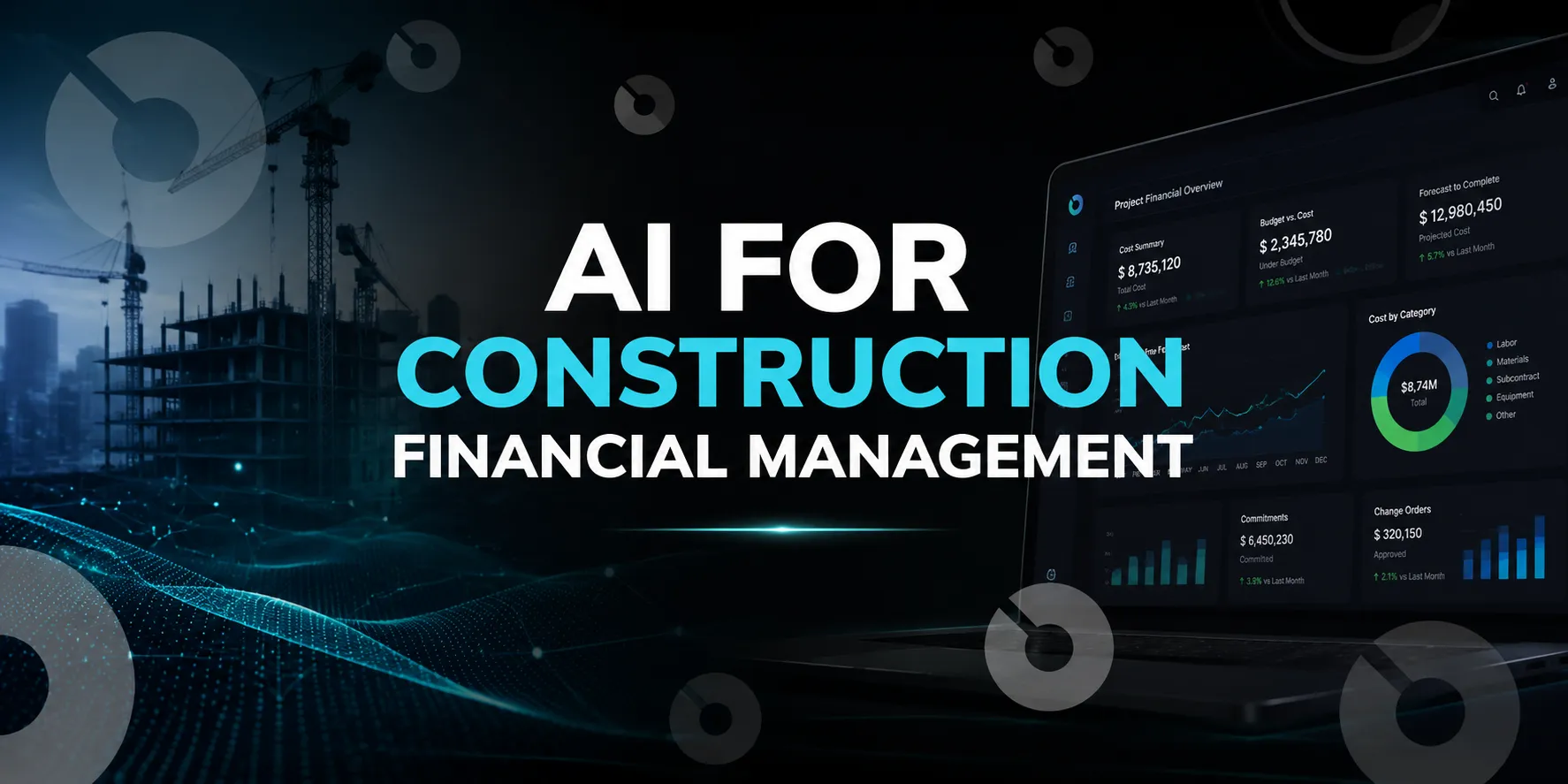
Informative
Building a Construction PM Tech Stack That Holds Together
A fast, clear guide to building a connected construction tech stack in 2025—tools, integrations, workflows and the systems PMs need to deliver projects with confidence.
Ask a project manager how many systems they touch in a week and the number is usually higher than anyone expected. Project management platform, accounting, scheduling, a document tool, a safety app the insurer required, a procurement system finance bought, plus the spreadsheet that reconciles two of them because nobody ever built the integration.
None of those were bad decisions individually. Each solved a real problem at the time. The stack still ends up costing more than the sum of its licenses, because the expensive part isn't the software. It's the seams between them.
This guide is about the seams: how to think about stack architecture, when consolidating beats best-of-breed, and how to evaluate whether a new tool will reduce work or quietly add to it.
What a construction tech stack is
A construction tech stack is the set of software systems a company uses to plan, execute and document projects, plus the connections between them.
The layers most companies end up with:
- Project management and construction administration
- Financial management and accounting
- Scheduling
- Document and drawing management
- Field reporting and mobile capture
- Procurement and inventory
- Safety and quality
- Estimating and preconstruction
That's eight layers. Very few companies run eight separate systems, and the ones that do usually wish they didn't. Most of the real decisions are about which layers combine.
Four stages of stack maturity
Most construction companies land in one of four places. Knowing which one you're in changes what your next move should be.
- Stage one: spreadsheets and email. Budgets in Excel, drawings in a shared folder, RFIs in an inbox. Works genuinely well on one project with a small team. Breaks at two or three concurrent projects, and the break is usually noticed when someone builds off an outdated drawing.
- Stage two: point tools. A scheduling tool here, a safety app there, accounting somewhere else, each bought to solve a specific pain. Every individual decision was sound. The seams start multiplying, and this is where reconciliation spreadsheets appear.
- Stage three: a core platform plus satellites. One system of record for the project layer, with specialist tools around it for scheduling, estimating and accounting. Fewer seams, and the ones that remain are deliberate and maintained. This is where most well-run mid-size companies end up.
- Stage four: connected and queryable. The stage three architecture, plus data structured well enough that it can be read and reported against without manual assembly, including by AI tools. The distinguishing feature isn't more software, it's that answering a question doesn't require someone to run an export first.
The trap is stage two, and it's easy to stay there for years because nothing about it is acutely broken. It just costs more every quarter as another tool gets added and another reconciliation becomes someone's routine.
The question underneath every stack decision
How many seams can you afford to maintain?
Every connection between two systems is a seam, and seams fail in predictable ways. Data gets entered twice. Sync runs nightly, so someone works from yesterday's numbers. A field changes in one system and the mapping breaks silently. Someone maintains a spreadsheet to reconcile two tools that were supposed to talk to each other.
The cost never shows up as software spend. It shows up as a project engineer spending Friday afternoon making two systems agree, which nobody tracks and everybody absorbs.
So the useful framing isn't which tools are best. It's the smallest number of systems that covers your work, with seams that are genuinely maintained rather than nominally integrated.
What a seam actually costs
Break it down and the cost sits in four places, none of which appear on an invoice.
- Duplicate entry. Someone keys the same information into two systems. Often a few minutes per instance, which is why it never gets escalated, and why it adds up to real hours across a year.
- Reconciliation. Someone checks that two systems agree and fixes them when they don't. This is the labor that hides inside the phrase "I just need to update the tracker".
- Building and maintaining the connection. Integration work is rarely one-time. Systems update, fields change, mappings break. Someone has to own that, and if nobody does, the integration degrades silently.
- Decisions made from the wrong number. The rarest and most expensive category. Somebody commits against a budget figure that was current three weeks ago. This doesn't happen often, which is exactly why nobody plans for it.
None of these get tracked, which is why stack sprawl is so easy to tolerate. The software line item looks fine. The labor absorbing the gaps is distributed across people who each think it's a small part of their week.
One authoritative home per data type
The principle that keeps a stack coherent is simple to state and hard to hold: every type of data should have exactly one system that owns it.
Budgets live in one place. Drawings live in one place. RFIs live in one place. Other systems can read that data, display it, report on it. Only one writes it.
When two systems both think they own the budget, you don't have redundancy. You have two budgets, and at some point someone will make a decision from the wrong one.
This is worth mapping explicitly before you add anything. Write down each data type and name the system that owns it. The gaps and overlaps become obvious fast, and the exercise takes an afternoon.
Consolidate or best-of-breed
There's a real tradeoff here, and most content on this topic pretends there isn't.
- Best-of-breed means picking the strongest tool for each layer. You get deeper functionality, since a company focused solely on scheduling will out-build a scheduling module inside a broader platform. You also get more vendors, more contracts, more logins, more integrations to maintain, and more finger-pointing when something breaks across a boundary.
- Consolidation means one platform covering several layers. You get fewer seams, one login, one support relationship, and data that connects without a sync job. You accept that some modules will be less deep than a specialist tool, and you take on more vendor concentration risk.
Neither is universally right. What's usually right is consolidating where the data connects tightly and going best-of-breed where it doesn't.
Budgets, change orders, RFIs, submittals and contracts are tightly coupled. A change order affects the budget. An RFI delays a submittal that holds up an activity. Splitting those across systems creates the seams that hurt most.
Estimating, CPM scheduling and specialized safety tools are more separable. A scheduler can work in P6 and hand milestones across without much loss, because the connection is periodic rather than continuous.
Stacks look different depending on who you are
Generic stack advice assumes a general contractor. Owners, developers and owner's reps have different centers of gravity, and building the GC stack when you're an owner is a common and expensive mistake.
- General contractors center on execution. The heaviest daily use is field coordination, subcontractor management, RFIs and submittals, with financials connected to that activity. The critical seam is usually between project management and accounting, because job cost needs to reflect field reality without someone rekeying it.
- Owners and developers center on capital. The heaviest use is budgets, funding sources, contracts and portfolio-level exposure, with project execution visible but not directly managed. The critical seam is between project data and the financial systems reporting to lenders, boards or investors. An owner running a GC-shaped stack ends up with rich field detail and no clean answer to what the portfolio costs.
- Owner's representatives have the hardest architecture problem, because they work across multiple clients who each may mandate a different platform. The practical requirement is a system of record they control for their own work, with the ability to operate inside client systems where required. Trying to standardize entirely on client platforms means never accumulating institutional knowledge across projects.
- Specialty trades center on their own scope across many projects run by other people's platforms. The stack question is usually how much to invest in internal systems versus operating in whatever the GC mandates.
The layer that stays constant across all four is the system of record for your own work. What varies is which adjacent systems matter most.
What "integrates with" actually means
This phrase does a lot of unearned work in software marketing. Four different things hide behind it.
- Bidirectional real-time sync. Changes flow both ways as they happen. Rare, and what most people picture.
- One-way periodic sync. System A pushes to System B nightly. Common, usually fine, but know that "current" means as of last night.
- File export and import. Someone downloads a CSV and uploads it elsewhere. This is a manual process wearing an integration's clothing.
- An API exists. Meaning a developer could build an integration. Nobody has. This still gets listed as an integration.
Ask which one you're getting. Then ask what happens when it breaks, who notices, and how long it takes to fix. A sync nobody monitors fails quietly, which is worse than no sync at all because people keep trusting the data.
AI has made stack architecture matter more
This is new enough that most stack advice hasn't caught up to it.
AI tools are only as useful as the context they can reach. A model answering questions about your project from an uploaded PDF is working from a snapshot. A model reading live project data answers from what's true now.
Fragmented stacks make this worse in a specific way. If budgets live in one system, RFIs in another and the schedule in a third, no AI tool has the full picture unless someone assembles it first, which defeats the point. The question "is this change order going to push the milestone" requires cost, schedule and correspondence data together. Split across three systems with nightly syncs, that question doesn't get answered well by anything.
So consolidation has a benefit now that it didn't have three years ago. Systems sharing a data structure can be queried as one thing. Systems connected by sync jobs can be queried as several things that mostly agree.
Two practical implications when evaluating a stack. Ask whether a platform exposes live data to AI tools directly, rather than only through exports or a vendor's own chat feature. And weigh whether AI capability comes included or as a separate subscription with per-query costs, since that changes the economics of using it routinely rather than occasionally.
Procurement and inventory, the usual orphan
Procurement is the layer most often left outside the stack, usually because finance selected it and project teams inherited it.
The disconnect is costly in a specific way. Procurement data needs to connect to the schedule, because a long-lead item's delivery date is a schedule constraint whether or not it appears in the schedule. It needs to connect to cost codes, because committed cost isn't visible if purchase orders live elsewhere. And it needs to connect to field reporting, because material delivered and material installed are different facts that need reconciling.
When procurement sits alone, the pattern is familiar. A long-lead item slips, nobody knows until the schedule activity comes due, and the delay is discovered rather than anticipated.
If you can't integrate procurement into your core platform, the minimum viable fix is making delivery dates for long-lead items visible in the schedule as constraints, even if that's a manual entry. It's imperfect and it's much better than nothing.
Signs your stack is working against you
- Someone maintains a spreadsheet that reconciles two systems
- The same information gets entered more than once
- People ask where something lives before they can find it
- Field teams use one system and the office uses another for the same workflow
- Reporting requires exporting from multiple places and combining manually
- A tool was bought for one project or one person and never rolled out
- Nobody can say confidently which system has the current number
None of these are catastrophic on their own. Three or more together means your stack is costing you labor you aren't measuring.
Before adding a tool
A few questions that surface more than a demo.
What does this replace? If the answer is nothing, you're adding a layer rather than solving a problem. That's sometimes correct and should be deliberate.
Who has to use it for it to work? A tool requiring subcontractor adoption has a different risk profile than one used by three people in the office.
What data does it own, and does anything else claim to own that data? Back to one authoritative home.
How does it connect to your system of record, and which kind of integration is that actually?
What happens when the person who championed it leaves? Tools with one internal advocate tend to become shelfware within a year of that person moving on.
What order to fix it in
If your stack is already tangled, sequence matters. A few principles that hold up.
- Map before you buy. Write down every system, what data it owns, and how it connects to the others. Most teams find two or three overlaps and at least one connection that turns out to be a person rather than an integration.
- Fix the system of record first. Everything else connects to it, so replacing it later means redoing every integration you built in the meantime. This is the one to get right before anything downstream.
- Consolidate the tightly coupled layers next. Budgets, change orders, RFIs, submittals and contracts. These produce the most expensive seams, so they return the most.
- Retire before you add. Adding a tool without removing one is how stage two happens. If a new system replaces an old one, set the shutdown date when you sign, not after.
- Leave the specialist tools alone until last. CPM scheduling and estimating are loosely coupled and usually working fine. Changing them creates disruption without addressing your actual problem.
- Do it between projects where possible. Migrating mid-project means running parallel systems at the worst moment. Onboarding new projects onto the new architecture while existing ones finish on the old is slower and far less disruptive.
This gets skipped and it matters more than most tool decisions.
Someone has to own stack architecture. Not IT procurement, not whoever signed the contract. Someone who understands how the workflows fit together and has authority to say no to a tool that doesn't fit.
Without that role, stacks grow by accretion. Every department solves its own problem, each decision is locally reasonable, and three years later there are fourteen systems and nobody knows how they connect.
In most mid-size construction companies this ends up being a director of operations, a VP of project management, or occasionally a construction technology manager if the company is big enough to justify one. The title matters less than the authority.
Where INGENIOUS.BUILD fits
INGENIOUS.BUILD consolidates the layers that are tightly coupled: project financials, project management and construction administration in one system, so budgets, contracts, change orders, RFIs, submittals and closeout share a data structure rather than a sync job.
That's the specific claim, and it's worth being precise about what it isn't. It isn't a CPM scheduling engine, so complex critical path work still belongs in P6 or equivalent. It isn't an accounting system, though it connects to QuickBooks Online, Sage 300 CRE and Yardi Voyager. It isn't an estimating platform.
What it's built to be is the system of record for the project layer, with the multi-party structure that construction actually requires. Owners, developers, owner's reps, GCs, subcontractors and design teams each work in their own workspace, connected on shared projects, rather than external parties getting read-only portal access that pushes coordination back into email.
Every workspace also includes a native MCP server, which lets Claude, ChatGPT, Gemini or any MCP-compatible model read live project data across the workspaces you're authorized to access. For stack architecture specifically, that changes what an integration needs to be for: AI can work from current data directly rather than from an export someone ran.
Book a demo if consolidating that layer is what you're weighing.
The short version
Stacks don't fail because the individual tools are bad. They fail at the seams, and the cost of those seams is labor that never appears on a budget line.
Consolidate where data is tightly coupled. Go best-of-breed where it isn't. Give every data type one authoritative home. Find out which of the four kinds of integration you're actually being sold. And give someone real ownership of the architecture, because stacks that grow by accretion end up being nobody's problem right up until they're everybody's.
FAQ
What is a construction tech stack?
The set of software systems a construction company uses to plan, execute and document projects, plus the connections between them. Common layers include project management, financials, scheduling, document management, field reporting, procurement, safety and estimating.
What tools does a construction project manager need?
At minimum a system of record for project management and construction administration, a financial system, schedule management, document control and mobile field capture. Whether those are separate systems or consolidated layers is the actual decision.
Is it better to consolidate or use best-of-breed tools?
Consolidate where data is tightly coupled, meaning budgets, change orders, RFIs, submittals and contracts. Use best-of-breed where the connection is periodic rather than continuous, such as CPM scheduling and estimating. Every separate system adds a seam that needs maintaining.
How do you integrate procurement into a construction tech stack?
Procurement data needs to reach three places: the schedule, so long-lead delivery dates function as constraints; cost codes, so committed costs are visible; and field reporting, so delivered and installed material can be reconciled. Where full integration isn't possible, manually surfacing long-lead dates in the schedule captures most of the value.
What does "integrates with" really mean in construction software?
It covers four different things: bidirectional real-time sync, one-way periodic sync, manual file export and import, or simply the existence of an API nobody has built against. Ask which one, and ask who notices when it breaks.
How many construction software tools should a company use?
The smallest number that covers your workflows with seams you can genuinely maintain. The count matters less than whether every data type has exactly one system that owns it.
What are the signs a construction tech stack isn't working?
Someone maintains a reconciliation spreadsheet, data gets entered twice, people ask where things live, field and office use different systems for the same workflow, or reporting requires manual assembly from multiple exports.
Who should own construction technology decisions?
Someone with both workflow understanding and authority to decline tools that don't fit, typically a director of operations or VP of project management. Without clear ownership, stacks grow by accretion and nobody can explain how the systems connect.
What are the stages of construction tech stack maturity?
Four: spreadsheets and email; a collection of point tools with growing seams between them; a core system of record with specialist satellites; and a connected architecture where data can be queried without manual assembly. Most companies get stuck at stage two because nothing about it is acutely broken.
What does a fragmented tech stack actually cost?
Duplicate data entry, reconciliation labor, building and maintaining integrations, and occasional decisions made from stale numbers. None of it appears as software spend, which is why stack sprawl is easy to tolerate for years.
Do owners and general contractors need different tech stacks?
Yes. GC stacks center on field execution with financials connected to it. Owner and developer stacks center on capital, funding sources and portfolio exposure. Owner's reps need a system of record they control while also operating inside client platforms.
How does AI change construction tech stack decisions?
AI is only as useful as the context it can reach. When budgets, schedules and correspondence live in separate systems, no tool has the full picture without manual assembly. Consolidation now carries a benefit it didn't a few years ago, and whether a platform exposes live data to AI tools is worth asking about directly.
Where should I start when fixing a messy tech stack?
Map what you have first, then fix the system of record, since everything connects to it. Consolidate tightly coupled layers next, retire a tool for every one you add, and leave loosely coupled specialist tools until last.