Forward-thinking
CoConstruct Alternatives, Pricing & Review (2026 Guide)
Explore CoConstruct pricing, features, pros & cons, plus top alternatives in 2026. Find the best construction software for your workflow and growth.
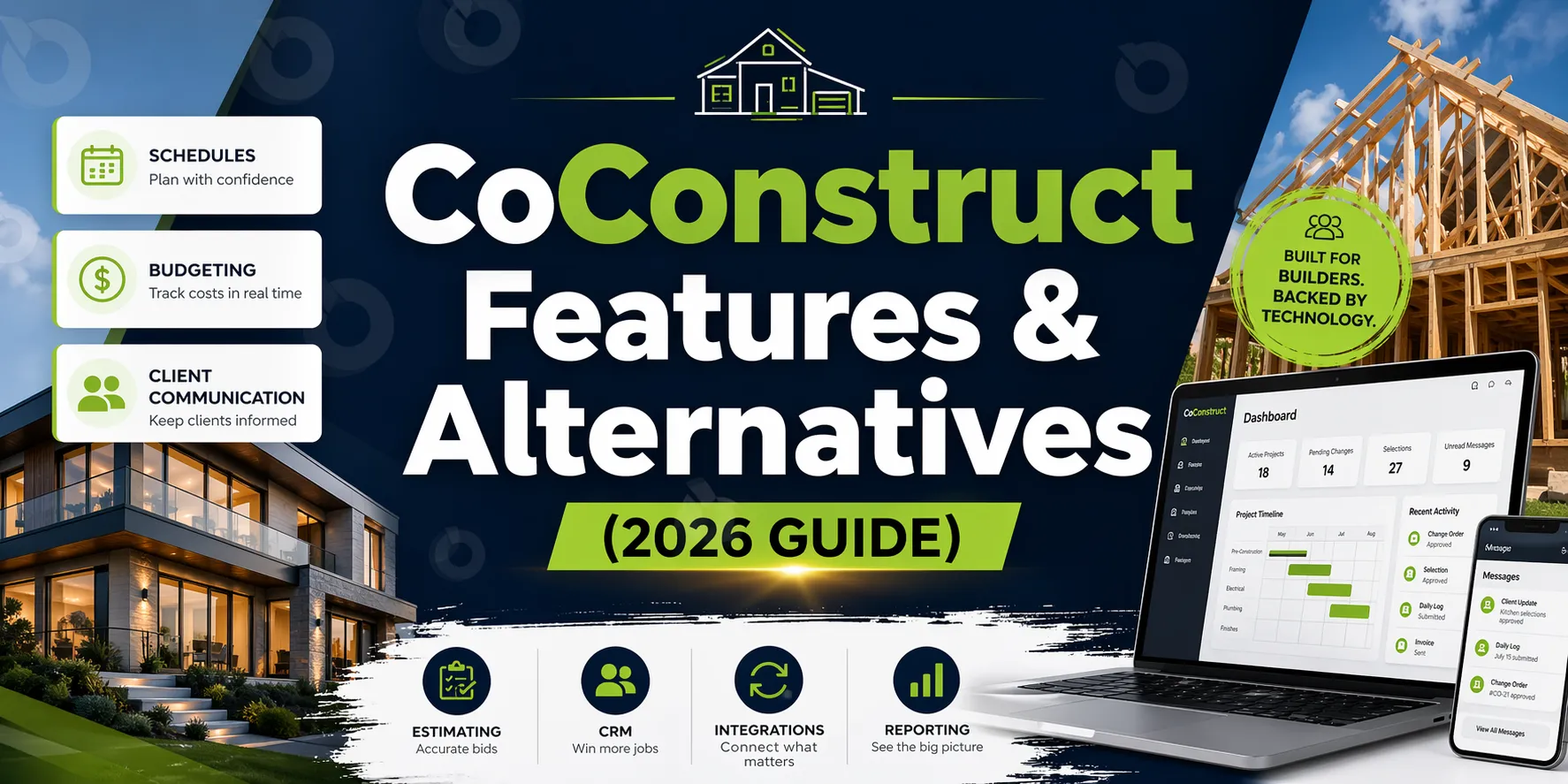
CoConstruct has long been a go-to construction management software for custom home builders and remodelers. It combines scheduling, budgeting, client communication and selections into one platform.
But in recent years, especially after being acquired by Buildertrend, many users have started asking:
- What is CoConstruct today?
- How much does CoConstruct cost?
- Is Buildertrend better than CoConstruct?
- Are there better alternatives?
If you’re evaluating CoConstruct in 2026 or considering switching, this guide will walk you through everything you need to know.
What Is CoConstruct?
CoConstruct is a construction project management software built primarily for custom home builders and remodelers. It combines tools for scheduling, budgeting, client communication, selections and project coordination in one platform.
It’s designed to help residential construction teams manage projects, track costs and keep clients informed throughout the building process.
How Much Does CoConstruct Cost?
CoConstruct pricing is not publicly standardized and typically depends on:
- company size
- number of projects
- required features
However, based on user feedback and industry benchmarks:
- pricing is generally mid-to-high range compared to similar residential construction tools
- costs increase as you add users, projects or integrations
Many teams report that CoConstruct cost can become less competitive as they scale, especially compared to newer tools with more transparent pricing.
Did Buildertrend Buy CoConstruct?
Yes, CoConstruct was acquired by Buildertrend. This has led to:
- shared infrastructure between the platforms
- overlapping feature sets
- questions about CoConstruct’s long-term roadmap
Many users now compare Buildertrend vs CoConstruct more closely or consider moving directly to Buildertrend.
CoConstruct Features
CoConstruct offers a range of features tailored specifically to residential construction workflows, helping builders manage projects from preconstruction through completion.
Core features include:
- project scheduling to plan timelines and coordinate tasks
- budgeting and cost tracking to monitor expenses and profitability
- client communication portals for updates, approvals and transparency
- selections and change order management to handle client choices and scope changes
- estimating tools for proposals and project planning
- CRM functionality to manage leads, clients and project relationships
For smaller builders and remodelers, this all-in-one approach can simplify operations and reduce the need for multiple tools.
CoConstruct Integrations
One of the most common questions is around integrations.
CoConstruct QuickBooks Integration
CoConstruct integrates with QuickBooks to sync:
- expenses
- invoices
- financial data
Many users ask: “Do I need the CoConstruct app in QuickBooks Online?”. Typically, integration is handled through connectors or sync tools - so, no.
Other integrations
- limited API capabilities
- fewer native integrations compared to newer platforms
- partial support for payroll tools (e.g., ADP via workarounds)
This is one of the areas where users report limitations as they scale.
CoConstruct Reviews: Pros and Cons
User reviews of CoConstruct highlight a consistent pattern, it works well for residential builders early on, but may become limiting as projects and teams grow.
Pros
- well-suited for custom home builders and remodelers
- strong client communication tools and portals
- integrated selections and change order tracking
- familiar, easy-to-follow workflows for small teams
Cons
- slower product updates following the Buildertrend acquisition
- limited scalability for larger or more complex projects
- integrations can feel restricted compared to newer platforms
- performance issues reported by some users as project volume increases
Overall, CoConstruct is often a good starting point but many teams outgrow it as their workflows become more complex and require deeper integrations or visibility.
Buildertrend vs CoConstruct
This is one of the most common comparisons for residential builders and the right choice depends on how your business is evolving.
Choose CoConstruct if:
- you’re a small custom home builder or remodeler
- your workflows are relatively simple and client-focused
- selections and client communication are your top priorities
- you want a familiar, straightforward system without much setup
Choose Buildertrend if:
- your business is growing and taking on more projects
- you need broader functionality across scheduling, budgeting, and operations
- integrations with other tools (accounting, CRM, etc.) are important
- you want a platform that’s actively evolving and improving
In practice, many teams start with CoConstruct but move to Buildertrend as their workflows become more complex. And since Buildertrend now owns CoConstruct, some companies skip CoConstruct altogether and choose Buildertrend from the start.
CoConstruct vs Procore: When Each Makes Sense
This comparison is less about features and more about project type and scale.
Choose CoConstruct if:
- you work primarily on residential builds or remodels
- your projects are smaller and client-driven
- you need simple coordination and communication tools
Choose Procore if:
- you manage large commercial or infrastructure projects
- multiple stakeholders and subcontractors are involved
- you need advanced financial controls, reporting and integrations
Procore is significantly more powerful but also more complex and expensive. For most residential builders, it’s often more than they need.
Quick takeaway
- CoConstruct - best for simple residential workflows
- Buildertrend - best for growing residential businesses
- Procore - best for large-scale commercial projects
Why Builders Are Looking for CoConstruct Alternatives
While CoConstruct still serves its niche, many teams are exploring alternatives due to:
Slower innovation
Fewer major updates since acquisition.
Support concerns
Longer response times and inconsistent support quality.
Uncertain roadmap
Questions about whether CoConstruct will remain a standalone product.
Limited scalability
Challenges when managing multiple projects or complex workflows.
What to Look for in a CoConstruct Alternative
If you're replacing CoConstruct, focus on tools that go beyond basic functionality:
- construction-first workflows (RFIs, budgeting, scheduling)
- mobile-first experience for field teams
- real-time cost tracking and financial visibility
- strong integrations (accounting, ERP, payroll)
- reliable support and active product development
- transparent pricing
Best CoConstruct Alternatives in 2026
If CoConstruct no longer fits your workflow, the right alternative depends on what you’re trying to improve - simplicity, financial visibility, scalability or client experience.
Here are the top options, broken down by real use cases:
1. Buildertrend
Best for: builders who want more features without leaving the ecosystem
Buildertrend builds on many of CoConstruct’s core capabilities but offers more active development, broader integrations and improved scalability.
Choose Buildertrend if:
- you’re already familiar with CoConstruct-style workflows
- you want more features without switching to a completely new system
- your team is growing and needs stronger integrations
Keep in mind: pricing and complexity can increase as your team scales.
2. JobTread
Best for: small-to-midsize builders who want simplicity + modern UX
JobTread is gaining popularity for its clean interface and strong connection between estimating, budgeting, and project tracking.
Choose JobTread if:
- you want an intuitive, easy-to-adopt platform
- estimating and budgeting are your main priorities
- you value responsive customer support
Limitations: may feel limited for large or highly complex projects.
3. BuildBook
Best for: builders focused on client experience and fast setup
BuildBook is designed to be lightweight and easy to implement, with a strong emphasis on communication and transparency.
Choose BuildBook if:
- you want to improve client communication and experience
- you need something quick to set up and easy to use
- your projects are relatively simple
Limitations: not ideal for detailed cost tracking or multi-project management.
4. Houzz Pro
Best for: remodelers who want project management + lead generation
Houzz Pro combines CRM, project management, and marketing tools in one platform, especially useful for design-build firms.
Choose Houzz Pro if:
- you want to generate leads alongside managing projects
- client communication and proposals are key
- you operate within the Houzz ecosystem
Limitations: less suitable for larger teams or complex construction workflows.
5. INGENIOUS.BUILD
Best for: growing teams that need structure, visibility and scalability
INGENIOUS.BUILD goes beyond residential project tracking by connecting workflows, financials, and project oversight in one system.
Choose INGENIOUS.BUILD if:
- you’re managing multiple projects and need better visibility
- you want budgets, RFIs, submittals, and schedules in one place
- your team is outgrowing basic tools and spreadsheets
- you need clearer coordination between field and office
What makes it different:
- real-time budget and commitment tracking
- structured workflows and approvals
- portfolio-level reporting across projects
Ideal for teams moving from basic project tracking to full project control.
Quick Recommendation
- Want something familiar? Buildertrend
- Want simple and modern? JobTread
- Want better client experience? BuildBook or Houzz Pro
- Want full visibility and scalability? INGENIOUS.BUILD
The best choice isn’t just about features, it’s about how well the platform supports your team as your projects grow more complex.
Best CoConstruct Alternatives by Use Case
- Client communication: BuildBook, Houzz Pro
- Budgeting + cost tracking: JobTread, Buildertrend, INGENIOUS.BUILD
- Full project lifecycle: INGENIOUS.BUILD, Procore
- Small teams: BuildBook, JobTread
When CoConstruct Stops Being Enough
You’ve likely outgrown CoConstruct if:
- you manage multiple or complex projects
- integrations are limiting your workflows
- reporting takes too long
- financial visibility is unclear
This is when teams typically switch to more structured platforms.
Final Thoughts
CoConstruct is still a solid tool for residential builders but it’s no longer the obvious choice it once was. The construction software landscape has evolved.
Today, teams expect:
- faster tools
- better integrations
- clearer visibility
- scalable systems
If your current setup feels limiting, it’s worth exploring alternatives that better match how your projects actually run. If you want structured workflows, real-time visibility and a platform that grows with you, INGENIOUS.BUILD is worth a closer look.
Book a demo to see how it compares in practice!
FAQ
How much does CoConstruct cost?
CoConstruct pricing varies based on company size and features, but it is generally considered mid-to-high range compared to similar tools.
What is CoConstruct used for?
It’s used for residential construction project management, including scheduling, budgeting, and client communication.
Does CoConstruct integrate with QuickBooks?
Yes, CoConstruct integrates with QuickBooks to sync financial data such as expenses and invoices.
Which is better: CoConstruct or Buildertrend?
Buildertrend offers broader features and more active development, while CoConstruct is simpler and more niche.
What are the best CoConstruct alternatives?
Top alternatives include Buildertrend, JobTread, BuildBook, Houzz Pro and INGENIOUS.BUILD.